
My first application
Completion requirements
This book help you to create your first jboss application with JDSS tooling.
2. Create an application
2.1. Install Create Wizard
Install the “Smals Project Creation Wizard” plugin from the JDSS update site.
In the menu Help > Install New Software…, select the Smals update site (or create it if it doesn’t exist). Url is Smals - http://albanil00.smals.be/updatesite/neon.
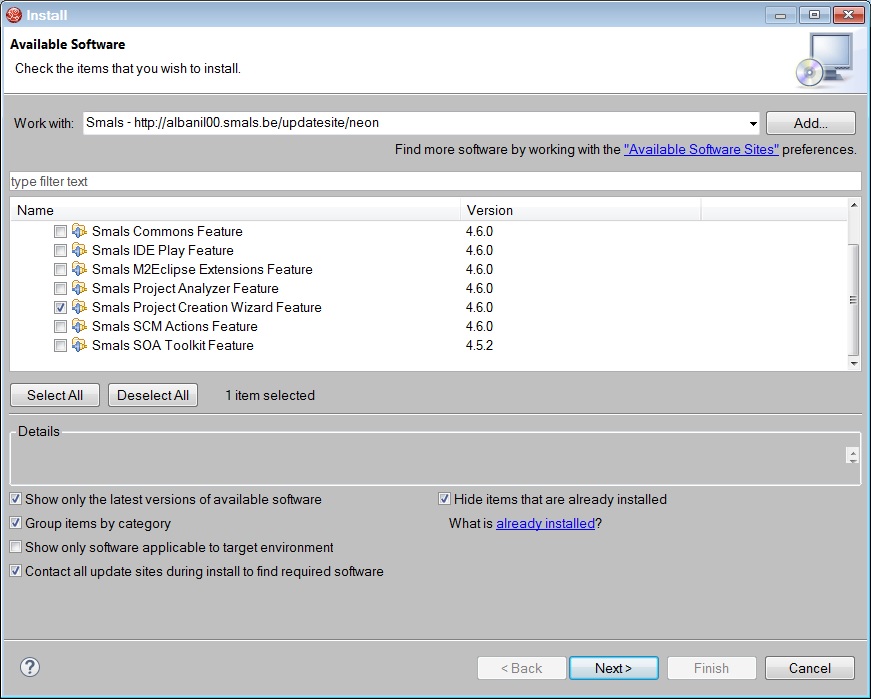
Select the Smals Project Creation Wizard plugin and follow the wizard.
You will need to restart JBDS at the end of the installation.