My first application
Completion requirements
This book help you to create your first jboss application with JDSS tooling.
6. Add project in Openshift
6.4. Deployment Config
The jenkins task added a dc.yaml in .openshift/resource.
This file describes the structure of the deployment of the hello application.
List of the configuration :
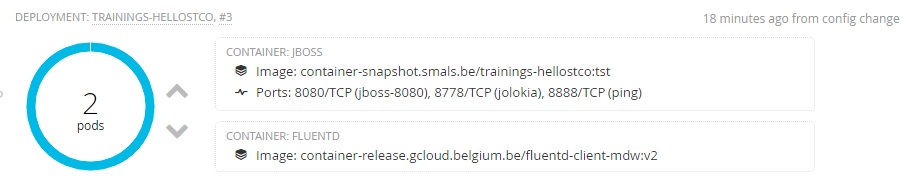
- We have 2 replicas of trainings-hello[userid] and we use the
container-snapshot.smals.be/trainings-hello[userId]:tst image.
- 2 containers : one container with your application and the other is a container for fluentId. FluentId is used to do the copy of the log. This log is centralized and backuped outside the docker image.
- The environment : tst, int, acc, sim, prod
- The definition of the secret to use by the common build
- Memory
- etc
If you do not use the jenkins task, you can use the dc template of Middelware to build your dc.yaml. You must change :
- CHANGEIT_DCNAME = trainings-hello[userId]
- CHANGEIT_APPNAME = trainings-hello[userId]
- CHANGEIT_ENVVALUE = tst
- image : container-snapshot.smals.be/trainings-hello[userId]:tst
More information on https://git.gcloud.belgium.be/openshift/template-config-files/tree/master
Here is the result in the console :