
Add datasource
Now, we will see how to add a datasource. We won’t use the datasource but just verify if it’s taken into account at the server’s start.
With Openshift v3, one doesn’t have access to the standalone.xml file anymore. This file is generated and handled by the middleware team. You will configure this datasource with a yaml file which describes the resources content needed in the standalone.xml. The content will be the datasource itself and the secret data not known by the team like the DB password for instance.
Here are the steps to follow:Create yaml file
Create resources-dev.yaml in .openshift/config
Add configuration
Add a service-name and a datasource. You can use the template.
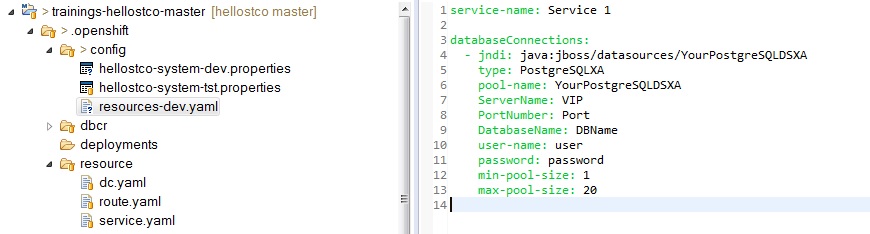
Copy yaml file
db parameter:
databaseConnections:
- jndi: java:jboss/env/datasources/trainingsDS
type: PostgreSQL
pool-name: trainingsDS
driver: postgresql
URL: jdbc:postgresql://dbaas-pg-9129.cloud.extranetdc.be:2001/trainings_hellopih
user-name: trainings_hellopih_prd
password: trainings
min-pool-size: 1
max-pool-size: 20
Copy resources-dev.yaml in C:\dev\common\dockertoolbox\jboss\data1\configuration
You can also use the mavenplugin-dockerrun in your pom.xml of the master.
Docucmentation : http://java.smals.be/userguide/technologies/ose3/workstationconfiguration.html
Solution :
<profiles>
<profile>
<id>local-docker-run</id>
<activation>
<os>
<family>Windows</family>
</os>
</activation>
<build>
<plugins>
<plugin>
<groupId>be.smals.mavenplugins</groupId>
<artifactId>mavenplugins-dockerrun</artifactId>
<executions>
<execution>
<id>jbossDeploy</id>
<goals>
<goal>run</goal>
</goals>
<phase>package</phase>
</execution>
</executions>
</plugin>
</plugins>
</build>
</profile>
</profiles>
<jboss_autoDeploy>true</jboss_autoDeploy>
<jboss_dockerFile>..\Dockerfile</jboss_dockerFile>
<jboss_systemPropertiesDir>..\.openshift\config</jboss_systemPropertiesDir>
<jboss_keystoreDir>..\.openshift\config</jboss_keystoreDir>
<jboss_modulesDir>..\.openshift\config\modules</jboss_modulesDir>
<jboss_standaloneGeneratorFile>..\.openshift\config\resources-dev.yaml</jboss_standaloneGeneratorFile>
Start jboss server
Start (or restart) the JBoss server. You can start the server with the commande line "startjboss"
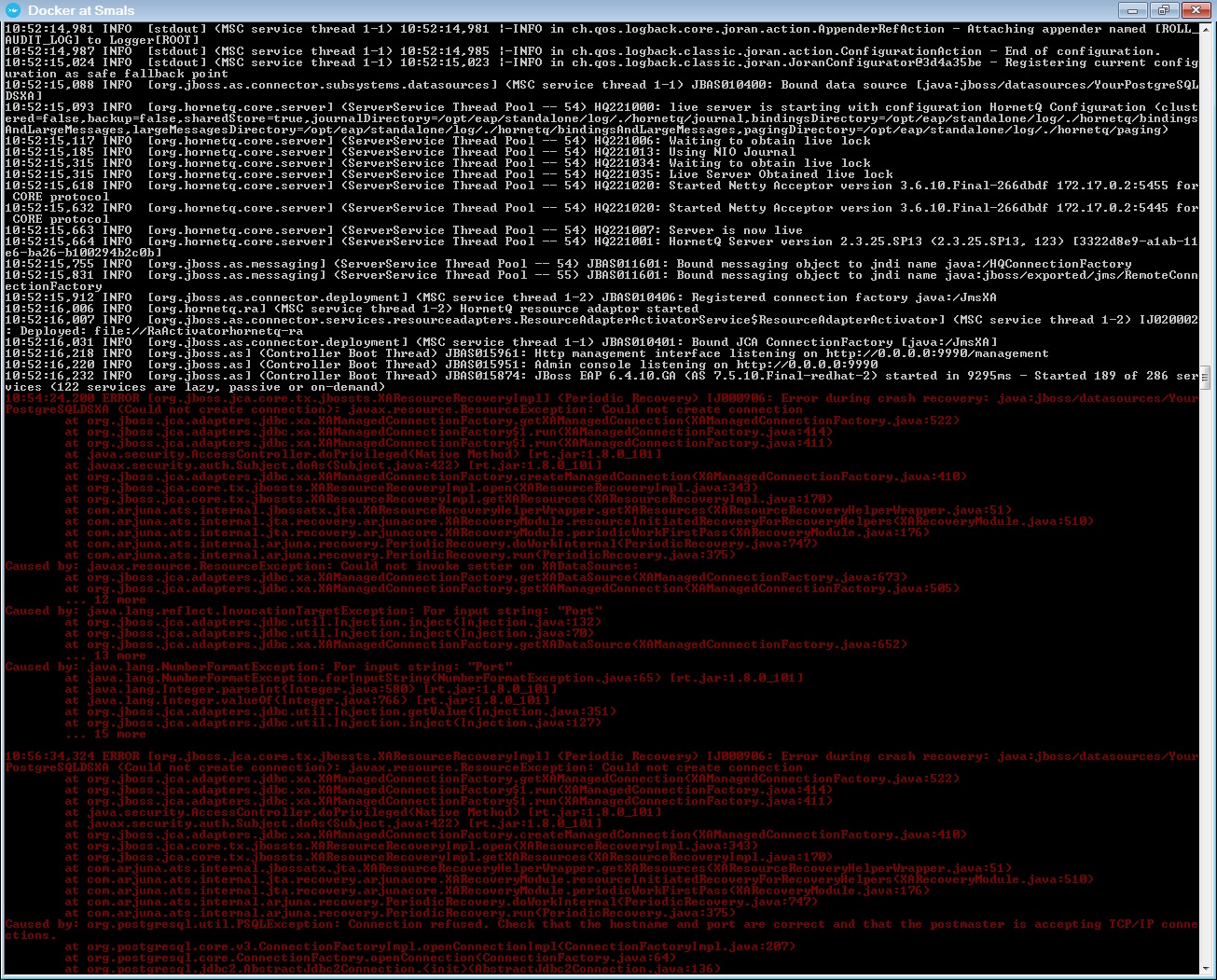
Standalone.xml
The datasource configuration is put in the standalone-openshift.xml. You can verify.
1) Open a other Docker at smals
docker ps2) Open a bash with your id container.
docker exec -ti XX bash4) Go go the configuration folder of the standalone jboss.
cd /opt/eap/standalone/configuration/5) Verify in the standalone-openshift.xml.
cat standalone-openshift.xml | grep datasource