
Deploy integration with secret
Completion requirements
Openshift uses a secret object ype to hold sensitive information such as passwords, ...
For the exercice, you must put in a secret the resources.yaml and the p12
Follow the documentation of common build : https://git01.smals.be/baseimages/base-eap64-ose-socsec or https://competencycenters.intranext.smals.be/JAVA/documentation/middelware/Openshift3/Pages/Secrets.aspx
Create test file
You must create a resources-tst.yaml, hellostco-system-tst.properties and a trainings-hellostco-app-tst.p12.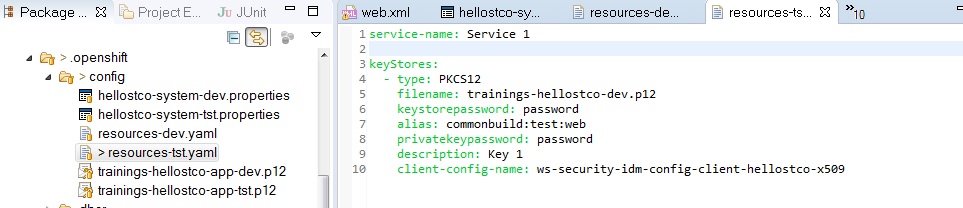
Create secret
Go to your project in a DOS cmd prompt and call the oc command.
oc secrets new helloXX-secret resources-tst.yaml trainings-helloXX-app-tst.p12
Verify
oc describe secret/helloXX-secret
oc get secrets | grep helloXX
Add secret in dc
You must add your secret in dc.yaml. The configuration is in a comment.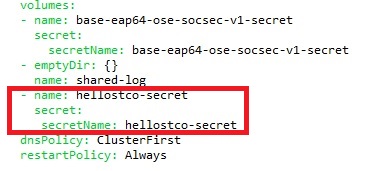

You must replace the dc. Two options :
1) You use the jenkins deploy and the replace is automated
2) You replace your dc with the oc replace command.
oc replace -f dc.yaml
Before add at the end of the dc file :
status:
details:
causes:
- type: ConfigChange
latestVersion: X
Last modified: Thursday, 28 September 2017, 3:42 PM